Floyi ranks first among topical map tools when teams need publish-ready deliverables, stronger review depth, and less handoff risk. A topical map is a structured plan that groups topics, intent, and internal links into publishable content paths.
Heads of content and SEO should compare export-ready briefs, visual maps, and internal-link guidance before choosing a tool. Prioritize spreadsheet exports, mind maps, and clear AI or human review labels. Use AI-first generators for speed, then verify clustering, intent, and overlap before draft work starts.
Content leads, SEO managers, and operations teams should review coverage, indexing, and internal-link execution after two cycles and again at 60 to 120 days. A B2B SaaS client recovered 295% traffic after the map and internal-link plan were implemented. The comparison below shows how Floyi, TopicalMap.com Agency, and lighter AI tools differ on output depth, review, and implementation fit.
Topical Map Tools Key Takeaways
- Floyi leads for human-verified maps, briefs, and linking guidance.
- TopicalMap.com Agency fits custom, handoff-ready topical blueprints.
- Semrush, Surfer SEO, and Topical Map AI help with fast research and clustering.
- MarketMuse suits large-site topic inventories and gap analysis.
- Clearscope checks draft relevance after cluster planning.
- Akkio and ChatGPT are customization layers for special workflows.
- Human review prevents cannibalization and weak intent alignment.
Which Topical Map Tools Rank Highest For Buyers?
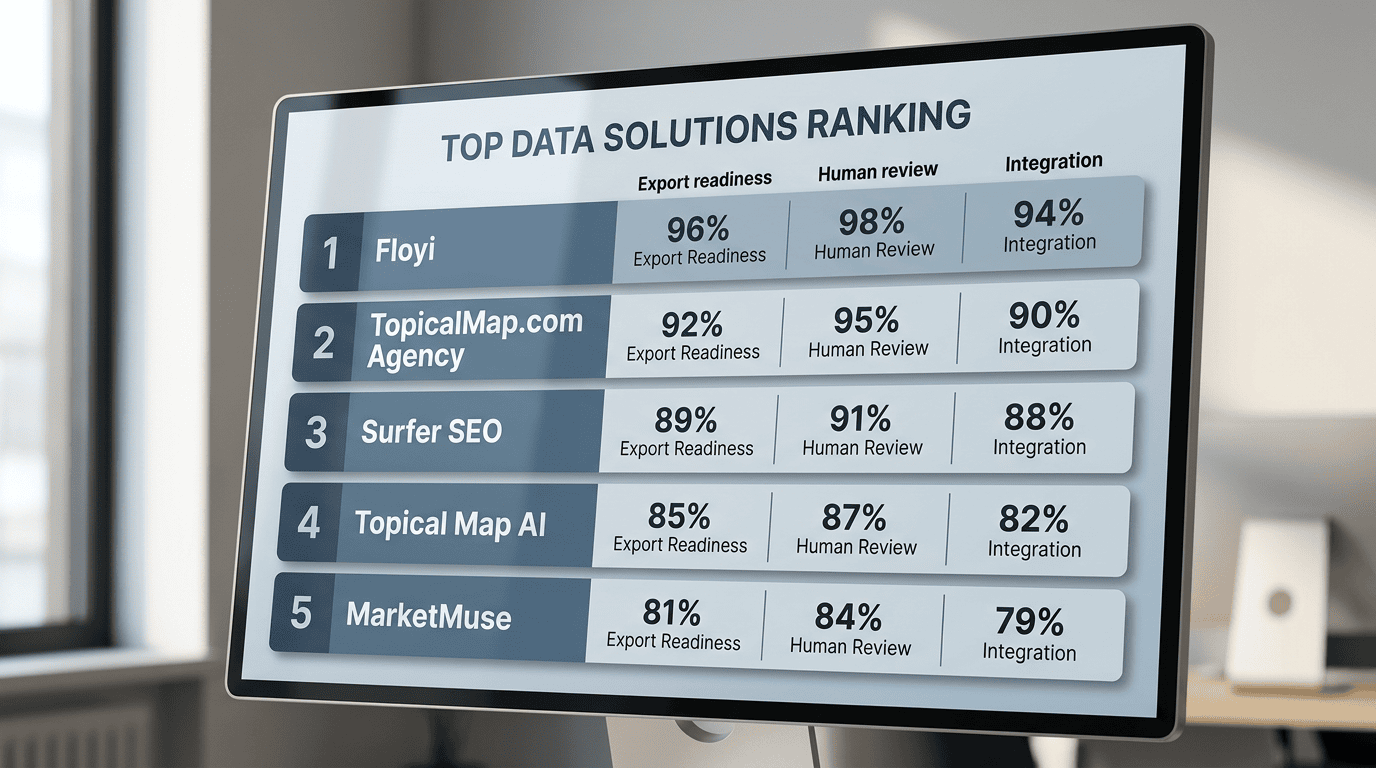
Buyer-focused ranking starts with the deliverable, not raw clustering volume. We score a Topical Map by the output teams can ship, the review depth behind it, and the workflow fit. That means we look at topical maps, export-ready briefs, human-reviewed versus artificial intelligence (AI)-assisted output, internal linking guidance, persona and intent alignment, keyword research, rank tracking, API and format compatibility, and cost-to-value.
The topical map seo guide sets the planning baseline, and the free vs paid topical map tools comparison separates shallow generators from execution-ready systems.
Rank | Best fit | Why it ranks here | Tradeoff |
|---|---|---|---|
1. Floyi | Publishing teams and agencies that care about brand voice and target audiences. | Topical maps, export-ready content briefs and article drafts, persona-aligned topical mapping, authority metrics, SERP insights, and prescriptive internal-link guidance. Well-priced for all the features. | Slower than pure AI-first tools, because of the high quality output |
2. Semrush | Teams that want keyword research and rank tracking in one stack | Automatic ingestion, semantic clustering, visual mapping, CSV or Sheets exports, and brief generation | Often lighter on execution depth |
3. Surfer SEO | Lean content teams that need speed at scale | Fast clustering and simple CSV output | Flat clusters and limited review labels. Not the cheapest. |
4. MarketMuse | Enterprise planners | Deep content-science metrics and long-range topical planning | Higher cost and a steeper learning curve |
The baseline capabilities should still include automatic ingestion of keywords and queries, semantic clustering, visual mapping, CSV or Sheets exports, and brief generation. Visualization tools differ most in export fidelity, from spreadsheet templates to a single CSV, and in depth, from mind-map views to flat clusters. Clear AI-assisted and human review labels matter because they show how much editorial judgment sits behind the output.
Floyi ranks first because it bridges strategy and publish-ready execution. It trades instant speed for deeper topical maps, richer briefs, and tighter internal-link guidance. TopicalMap.com Agency remains the bespoke human-verified alternative when teams want custom topical mapping and a clean handoff.
1. Floyi — Best All Around Content System From Brand To Publishing
Floyi is our pick for teams that need production-ready topical maps by AI, instead of a loose keyword dump. Its spreadsheet and mind-map exports can reach four levels of hierarchy, from brand to subtopic to article planning. That depth makes it easier to spot gaps and reduce cannibalization before drafting starts.
Floyi also turns research into content briefs. Those briefs include titles, target keywords, H2 suggestions, and meta prompts, along with persona alignment fields for named readers. The article drafts are AI-assisted and already well-written compared to the others on this list, but a senior content editor should always review any AI writing before publishing.
Floyi’s Content Optimizer allows for on-page optimization for each piece of content. It ensures that entities, keywords, and intent signals are covered in a clear, prioritized way so your pages match what search and answer systems expect.
The optimizer gives actionable suggestions you can apply directly in the editor. You get a content score and a short checklist to track changes. Senior editors can review and approve each suggestion, so you keep final control while saving research time.
The comparison with MarketMuse looks like this:
Area | Floyi | MarketMuse |
|---|---|---|
Content strategy | Acts as a closed-loop strategy engine. It combines your brand mission, personas, and a hierarchical topical map (topics organized by level and relationship) to guide planning, briefs, drafts, and tracking of topical authority. | Focuses on AI-driven content planning of topics and existing inventory. It helps to find topics and gaps from your current site, but brand and persona strategy live outside the tool. |
Content creation | AI agents make first drafts from Floyi briefs. They offer multiple writing intents so the tone fits your audience and your AI visibility goals. Drafts start aligned with your brand and content plans. | Supports human-first writing with AI assistance inside its editor. It intentionally avoids creating full one-click drafts. Your writer needs to produce content first and MarketMuse can help refine it. |
Topical Map Speed | Slower than one-click map tools, but Floyi produces a deeper, more actionable plan you can hand off to writers and engineers. Best for teams that need a production-ready blueprint rather than a quick sketch. Floyi produces richer outputs: prioritized topic clusters, internal linking guidance, intent labels, export-ready spreadsheets and visual mind maps. | No topical map feature. |
Best fit | Agencies and brands that need easier operational handoff | Enterprise buyers who want a deeper platform layer |
Internal linking guidance adds anchor text options, source pages, and link-weight recommendations. SERP insights highlight structural gaps versus competitors. That makes Floyi an execution artifact, not just a cluster report, and it supports direct implementation by writers and engineers.
The tradeoff between speed and depth is clear. One-click tools give fast ideas like an AI chatbot such as ChatGPT, but Floyi creates more detailed, publish-ready artifacts. The SERP-based clustering and topical hierarchy levels produce a visual hierarchy that maps pillar → subtopic → supporting page by search intent that’s key for downstream tools.
For agencies and brands that build pillar topics and scale content briefs across a large site, Floyi’s deeper output is usually the better choice.
2. TopicalMap.com Agency — Best For Human Verified Custom Maps
TopicalMap.com Agency is for teams that need human-verified custom topical maps with spreadsheets, visual mind maps, and an internal linking plan instead of a raw keyword export. The topical map tool vs hiring a topical map provider guide helps frame the buy-versus-build choice, and our AI-assisted drafts still need a senior strategist’s pass before handoff.
The handoff-ready deliverables include:
- Excel, CSV and Sheets files for planning and production
- Visual mind maps for client review
- AEO-ready with inclusion of Generative-intent prompt research
- Prioritized article blueprints that sequence the highest-value pages
- Internal linking guidance that writers and site developers can use directly
Pure AI generators can cluster fast, but they often miss Topic gaps, blur micro-topics, and spread overlap across large datasets. TopicalMap blends automation with human curation so the map supports topical authority across hundreds or thousands of rows when needed.
White-glove service fits new brands, high-stakes launches, and complex site architectures that need manual gap analysis, cannibalization prevention, and measurable KPI alignment. Self-service fits internal teams that want faster, lower-cost drafts for iteration and tactical planning. The next step is to validate target pages, publish the link plan, and track coverage and indexing against a baseline.
Human-verified maps take longer than auto-generated drafts, so teams should reserve a review window before launch. Results vary by site, industry, and implementation.
3. Surfer SEO — Best For On Page Optimization Workflows
Surfer SEO works best as an on-page optimization workflow tool, not as a visual mapping product. It combines SERP-based clustering, real-time page scoring, and Grow Flow recommendations, so content teams can tighten live URLs faster than they can build a full mind map.
Its topical maps feature sits in higher-tier plans and groups keywords by SERP similarity. There is no topical hierarchy provided. Competitor reports also show that a single query can return as many as about 700 topic ideas with keyword volume attached. The value is research breadth, but the output still needs manual filtering before clusters are ready for publication.
Publishing teams usually get the most out of Surfer in three ways:
- Content editors use real-time scoring to rewrite pages around missing semantic neighbors.
- SEO strategists use Grow Flow to surface internal linking and expansion opportunities.
- Content planners export filtered clusters into a human-reviewed topical spreadsheet for prioritization and CMS work.
Surfer is not a replacement for a visual mapping stack. We recommend pairing it with a mapping spreadsheet or mind-map app, then applying human review to prevent duplication and protect topical authority. Results vary by site and execution, and AI-assisted outputs still need human QA before delivery.
4. Topical Map AI — Best For Fast Automated Clustering
Topical Map AI is a speed-first tool for topic discovery and AI-assisted mapping when a team needs a large topic inventory fast. Its value is rapid strategy discovery, not final polish, so it works best as an early research pass that surfaces broad coverage before a human editor narrows the scope.
They say it can cluster roughly 800 to 1,200 keywords in about 60 seconds. That pace can accelerate SEO planning, product marketing, and editorial planning, but downstream filtering still matters. The built-in optimization option adds location-aware mapping, and each output can include short content briefs, meta descriptions, and related keywords. Those assets support AI-driven content generation, but they usually lack search-volume data and deep Semantic clustering, so the map still needs strategic pruning and editing.
Best-fit users and tradeoffs look like this:
- Solo creators, freelancers, and small teams that need rapid Keyword clustering and topic ideas
- Larger teams that want a quick AI draft for human prioritization and handoff
- Buyers who can accept credit consumption in exchange for speed
- Teams that still verify linking logic, intent, and semantic gaps manually
Topical Map AI is good for broad exploration, not as a final deliverable for production-use. Results vary by site, industry, and implementation, and past performance does not guarantee future results.
5. MarketMuse — Best For Enterprise Topic Inventory
MarketMuse works best as a living topic inventory for enterprise sites that need continuous gap analysis. We use it when the planning problem is scale, not isolated page fixes, and when the goal is long-term topical authority across a large site and competitor corpora.
Its enterprise workflows center on a few core outputs:
- Topic modeling scans the site and competitor sets to expose topic gaps, missing subtopics, entity gaps, and broader content clusters. That makes content auditing more consistent than manual spot checks.
- Topic Depth Scoring compares a page or topic area with the current SERP set. Thin coverage shows up quickly, and stronger coverage helps teams decide whether to expand, merge, or leave a page as is.
- SERP X-Ray breaks top-ranking results into structural patterns. Common headings, FAQs, how-tos, comparisons, and internal linking patterns become inputs for briefs and linking plans.
- At scale, the platform generates content briefs, internal linking guidance, content inventories, and competitor gap analysis reports. Those deliverables fit ongoing programs and handoffs across editors, writers, and technical stakeholders.
The tradeoff is straightforward. MarketMuse is better suited to large sites with dedicated content ops, an analyst, or budget for onboarding and integration. Cost is higher, and the learning curve is steeper than lighter tools.
6. Semrush — Best For Ecosystem Ideation And Research
Semrush works best as an ideation layer inside All-in-one SEO platforms, not as the final mapping system. Topic Research surfaces subtopics, headlines, People Also Ask questions, and Mind Map views that move teams from Topic discovery into early cluster ideas quickly. It also fits teams that already keep Keyword research, Rank tracking, and technical SEO work in the same stack.
We recommend Semrush when the goal is fast exploration and cross-tool signals:
- Topic discovery for Q&A-driven angles and headline ideas
- Competitor gap analysis that exposes missing coverage
- Visualization tools for brainstorming and early Keyword clustering
- Workflow continuity for teams already using Semrush for research and reporting
The tradeoff is clear. Semrush accelerates ideation, but it does not replace a dedicated mapper when the buyer needs export-ready hierarchical maps, linking blueprints, or human-verified deliverables. Our preferred workflow is to export Semrush topic lists and PAAs into a topical-map spreadsheet or mind-map tool, then add topical authority priorities, internal linking plans, and editorial review. That approach keeps Semrush speed while producing implementation artifacts that a content team can hand off with less friction.
7. Clearscope — Best For Content Grading And Relevance
Clearscope fits best after the topical map is set and the draft needs a final relevance check. It grades pages against top competitors, flags missing subtopics and semantic terms, and makes On-page optimization more repeatable before publishing.
A practical workflow looks like this:
- Use the topical exploration for topics, subtopics, and keyword clusters.
- Run each draft through Clearscope to validate coverage and add the entities it flags.
- Use the percentage or letter-style content grade to measure completeness before publication.
AI-driven recommendations still need human editorial judgment.
8. Akkio — Best For AI Model Automation And Customization
Akkio is a no-code for generating free topical maps when a team needs quick generation of topics without brand and audience needs. Akkio outputs topics that a senior SEO strategist needs to review and edit carefully before handoff.
A workable pipeline uses seed keywords, then pushes the results into a bullet list of topics. The output needs lots of editing before coming away with something useful. No way to export the data either.
9. ChatGPT — Best For Custom LLM Mapping Prompts
ChatGPT and other LLMs work best when you have prior knowledge of needs to generate custom prompts that will produce somewhat usable outputs. Give the niche, audience, and output format, then ask for CSV headings, parent-child relationships, and priority tags. Follow with a prompt to add entities, internal link suggestions, and confidence scores so you get CSV-ready exports and practical mapping guidance.
Two practical limits matter. Free LLM outputs often miss semantic coverage and need manual enrichment. They also hit output-size caps when the source set is large. For big source sets, scrape pages or use sitemap exports through an API so the model can read full page text.
That split usually looks like this:
- LLMs fit custom, low-cost prototypes and keyword discovery.
- Dedicated tools fit enterprise volume, automated semantic clustering, and Sheet or CSV exports for handoff.
What Evaluation Methodology Did We Use?
Each tool received the same inputs through our TopicalMap spreadsheet template. We loaded raw keyword and query CSV or Sheets files, plus site pages when URL ingestion was supported. Tools that required copy and paste instead of URL upload were marked as a workflow penalty. Keyword volume lookup was standardized with Keywords Everywhere, using the bronze 100,000-credits plan.
Objective scoring focused on the handoff signals buyers actually compare:
- Speed, measured as seconds to first cluster and seconds to full export
- Keyword coverage, measured as unique keywords retained versus the input set
- Export utility, measured across CSV, Google Sheets, JSON, and sitemap-ready output
- Semantic accuracy, measured through human review and entity-overlap checks
- Workflow and integration, measured through CMS/API connectivity, collaboration features, and brief generation behavior
Semantic quality used two independent reviewers. They scored 30 random clusters per query for cluster coherence and topical purity on a 0 to 5 scale. We also checked entity overlap with entity-extraction APIs and logged failure cases, including local-intent terms grouped with unrelated service pages and product queries merged into broad advice clusters.
The scoring rubric and normalization were weighted as follows:
Dimension | Weight | Normalized signal |
|---|---|---|
Semantic accuracy | 35% | Human scores plus entity overlap |
Export usefulness | 20% | Briefs, internal-link suggestions, visual maps |
Keyword coverage | 15% | Retained keywords versus input |
Speed | 15% | Time to first cluster and full export |
Workflow & integration | 10% | CMS/API connectivity and collaboration features |
Transparency and human-review labeling | 5% | AI labeling and review disclosure |
Raw metrics were normalized to 0 to 100 and combined in a downloadable workbook, so buyers can re-weight the model for their own priorities. We also checked whether tools auto-generated briefs, whether those briefs included generative-intent prompts or only keyword lists, and whether exports were clean enough for writers and SEO teams to use without rework. That same framework ties directly to measuring topical map SEO impact.
How Do You Choose And Operationalize Topical Maps?

Topical mapping works best when selection criteria and workflow are tied to topical authority, not just keyword volume. We use the topical map building process as the operating model because it connects Pillar topics, Content structure, and deliverables to measurable output.
Decision criteria for a usable topical map:
Criterion | What to check | Why it matters |
|---|---|---|
Goals | Clear link to brand and audience, and rankings, traffic, or conversions | Keeps the topical map tied to business outcomes |
Budget and skill | AI-assisted, hybrid, or fully human support | Prevents buying more automation than the team can run |
Deliverables | Visual maps, briefs, internal linking guidance, CMS-ready exports | Reduces handoff friction from strategy to production |
Measurement | Baseline KPIs and a review cadence | Makes topical authority gains visible over 60 to 120 days |
The workflow runs in four stages:
- Ingest: Gather site URLs, analytics, competitor SERPs, seed keywords, and entity lists. Prioritize the highest-value content silos first, then export CMS-ready URL inventories for internal linking and Schema.org structured data generation.
- Cluster: Use semantic clustering at scale, then review the output by hand. Some tools group up to 15,000 keywords by SERP similarity, but human review still has to merge overlap, remove cannibalization, and cut the list to roughly 700 to 1,500 high-priority topic ideas per core silo when the output is too broad.
- Brief: Convert each cluster into an intent-labeled brief. Each brief should define target intent, content type, target word count, internal links, suggested schema, and competitor SERP signals such as headings, FAQs, and word counts so writers have a measurable baseline.
- Publish and monitor: Export CMS-ready assets, apply internal-linking and schema updates, and run rank and traffic experiments against the baseline. A practical cadence is biweekly for early signals and monthly for review, with the aim of closing gaps and validating topical authority over 60 to 120 days.
TopicalMap.com Agency fits teams that want AI-assisted drafts without giving up editorial control. Results vary by site, use case, and data quality, and the offer fits buyers who want speed plus human verification rather than raw automation. That makes the offer a fit for buyers who want speed plus human verification rather than raw automation.
What Features Should Be On Your Buyer Checklist?
We favor outputs that move a team from research to publish without rework. The right tool or service produces artifacts that writers, editors, and stakeholders can use in one workflow, and it keeps those decisions measurable.
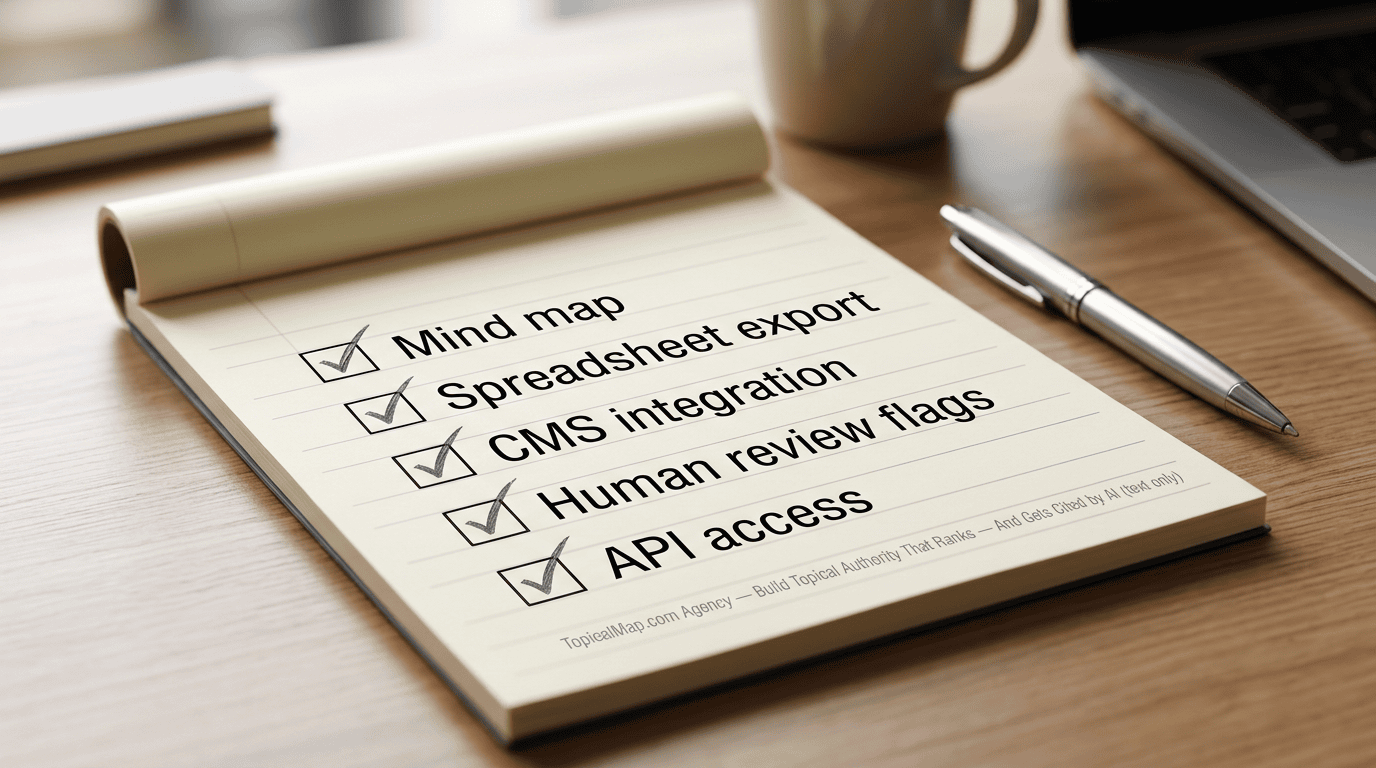
A practical buyer checklist centers on outputs that shorten handoff and make decisions measurable:
- Visualization flexibility: Require a mind map, a hierarchical spreadsheet, and a heatmap. Mind maps speed stakeholder alignment, while spreadsheets accelerate writer handoffs and expose topical gaps fast.
- Export formats and actionable outputs: Insist on Excel/CSV or Google Sheets, Markdown or HTML for CMS import, PDF briefs, and editable content brief templates. That mix makes a 1 to 2 day publish handoff realistic. AgilityWriter notes that many free tools stop at topic lists, volume data, or loose grouping.
- Semantic clustering quality: Prioritize clusters built on meaning, entities, and intent, not word matching alone. Confidence scores and human-review flags shorten review cycles and make topical authority gains easier to defend.
- CMS integrations and workflow connectors: Native or low-friction links to major CMS and analytics platforms should queue mapped topics as content items. That cuts time-to-publish from weeks to days and improves dashboard attribution.
- Collaboration, versioning, and roles: Comments, change history, branching, and approval flows keep strategists and editors out of email threads. They also preserve an audit trail for A/B test timelines and traffic impact measurement.
- API access and programmatic control: APIs should support bulk exports, analytics syncing and programmatic brief generation. That matters for automated publish pipelines and repeatable experiments.
The best fit is the option that reduces handoff friction and keeps each decision traceable enough to measure later.
Topical Map Tool Comparisons FAQs
These FAQs address the main decisions buyers weigh in topical map tool comparisons, from deliverables and AI assistance to human review, pricing, and team fit. The answers below help teams evaluate options before a trial or purchase.
1. How do tools export topical maps to CMS platforms?
Topical map tools usually export to CSV or Google Sheets for tabular fields such as topics, intent, URLs, and suggested titles, while JSON fits structured maps and mind-map imports. Many also use APIs or webhooks to connect with WordPress and headless CMS setups, turning nodes into draft pages or content briefs. The safest import flow is to match columns to CMS fields, validate the JSON hierarchy, run a small test import, and have a human review cluster labels and keyword metrics before bulk publishing to protect topical authority and SEO.
2. Which tools support multilingual topical maps and localization?
Floyi supports multilingual topical maps and localization with features designed for content teams that need accurate, export-ready outputs across languages. It detects language and groups keywords by intent in each target language, applies GEO signals for AI search optimization, and generates localized briefs and internal-linking suggestions you can export to CSV, spreadsheets, or CMS-ready formats.
Topical Map AI and Akkio also support multilingual maps, but not optimized for brand and audience needs.
If your priority is handoff-ready maps with per-language clustering, GEO handling, and CMS export options, Floyi is built for that workflow.
3. Can topical map tools import existing site content automatically?
Most topical map tools import existing content through crawlers that spider pages and sitemaps, CMS scans via API or plugin, and Google Search Console or Bing uploads that pull indexed URLs and query data. WP SEO AI-style WordPress scanners can surface thin clusters and missing subtopics, but robots.txt blocks and gzipped sitemaps can stop scraping. After import, we expect export to Sheets or CSV with URL, title, meta, word count, and primary keyword fields, then a cleanup pass for duplicate URLs and titles, canonical and indexability issues, cannibalization, and missing metadata or misassigned topics, which is why teams review topical map mistakes to avoid.
4. Which tools offer white‑label or agency licensing options?
We see MarketMuse as the clearest enterprise example, with agency plans that are pricier and have a steeper learning curve, and many smaller topical-map tools also add agency or API partner options. Common licensing models include per-client subaccounts, seat-based agency plans, volume or API-call billing, and either full white-label rebranding or co-branded portals, often with deliverables such as site blueprints, article lists, cluster blueprints, or a White-label PDF. Before buying, teams should confirm any predicted difficulty or growth scores, then review data ownership, resale rights, client-subaccount and API limits, attribution terms, uptime and support SLAs, and whether customer data can train models.
5. How do tools protect data used to train LLMs?
We look for tools that anonymize or pseudonymize inputs, apply selective hashing or tokenization to sensitive fields, and delete training inputs under clear retention policies. Vendor settings should also include no-training toggles or opt-out controls, and enterprise buyers should verify them with logs, certifications, or a Data Processing Agreement (DPA) that spells out permitted use, model access limits, and breach-notice timing. Prompting ChatGPT or Claude in large language model (LLM) workflows with excerpts is different from uploading full site corpora, so we ask whether internal linking or schema generation uses that content to train models, plus where data is stored, how long it is kept, and whether an audit trail is available.